Xiaomi HyperOS 3 MTK IMEI Repair: Unlocked Bootloader, CPID and Offline Methods
Learn how AndroidWinTool supports Xiaomi HyperOS 3 MTK IMEI repair with Unlocked Bootloader, CPID and Offline methods for selected Redmi and Poco models.
AndroidWinTool supports Xiaomi MTK IMEI repair on many Xiaomi, Redmi and Poco devices running HyperOS 2 and HyperOS 3. Because Xiaomi security changes with new firmware updates, the best repair method depends on the device model, bootloader status, firmware version, modem version and security patch.
This guide explains the main Xiaomi MTK IMEI repair methods available in AndroidWinTool:
- Unlocked Bootloader method
- Locked Bootloader CPID method
- Locked Bootloader Offline method
If you are not sure which method is best for your device, always contact AndroidWinTool support before starting the repair.
Legal service use only. AndroidWinTool supports original IMEI restoration for owned devices. AndroidWinTool does not support IMEI cloning, stolen device repair or illegal IMEI changes.
Why Xiaomi HyperOS 3 IMEI Repair Requires Different Methods
Xiaomi devices use advanced security protections, especially on newer HyperOS builds. After security updates, the same model may behave differently depending on firmware version, modem firmware and partition layout.
For this reason, AndroidWinTool provides multiple Xiaomi MTK IMEI repair methods instead of using only one universal workflow.
When bootloader unlock is possible, Unlocked Bootloader method is usually the safest and most flexible option.
For locked bootloader devices, CPID or Offline methods may be available depending on model and firmware compatibility.
Xiaomi MTK IMEI Repair Methods in AndroidWinTool
Method 1: Unlocked Bootloader IMEI Repair
The Unlocked Bootloader method is recommended whenever bootloader unlock is possible. This method gives technicians more flexibility because the device can be serviced with fewer restrictions.
Main advantages
- Free method on supported models
- No credits required
- No server authentication required
- More flexibility for firmware operations
- Better option when engineering firmware or extra service files are required
Important note: OTA update or factory reset behavior may depend on the device model and repair type. Do not perform OTA updates or factory reset after repair unless your model and firmware are confirmed as safe by support.
Method 2: Locked Bootloader CPID IMEI Repair
Locked Bootloader CPID is a server-based method for many Xiaomi, Redmi and Poco devices. This method is usually the best option when the bootloader is locked and the device is compatible with CPID repair.
Main advantages
- Works with locked bootloader on many supported models
- Stable server-based method
- OTA and factory reset are supported on many devices
- Engineering ROM is not required in most cases
- Suitable for professional repair shops that need a reliable workflow
Important note: CPID method requires credits and server availability. Some special models or firmware builds may still require additional preparation before repair.
Method 3: Locked Bootloader Offline IMEI Repair
Locked Bootloader Offline method is available for selected Xiaomi MTK devices. This method does not require credits, but compatibility depends strongly on firmware, modem and partition layout.
Main advantages
- Free on supported models
- No credits required
- No CPID server required
- Works on many supported HyperOS 2 and HyperOS 3 devices
Compatibility depends on
- Device model
- HyperOS version
- Security patch
- Modem firmware
- Official partition layout
- Required service files
This method should not be treated as universal for all MTK devices. Some models may work only on selected firmware versions, while others may require CPID or Unlocked Bootloader method instead.
Latest Tested Xiaomi MTK Models
AndroidWinTool has tested Xiaomi MTK IMEI repair support on many new Xiaomi, Redmi and Poco models, including:
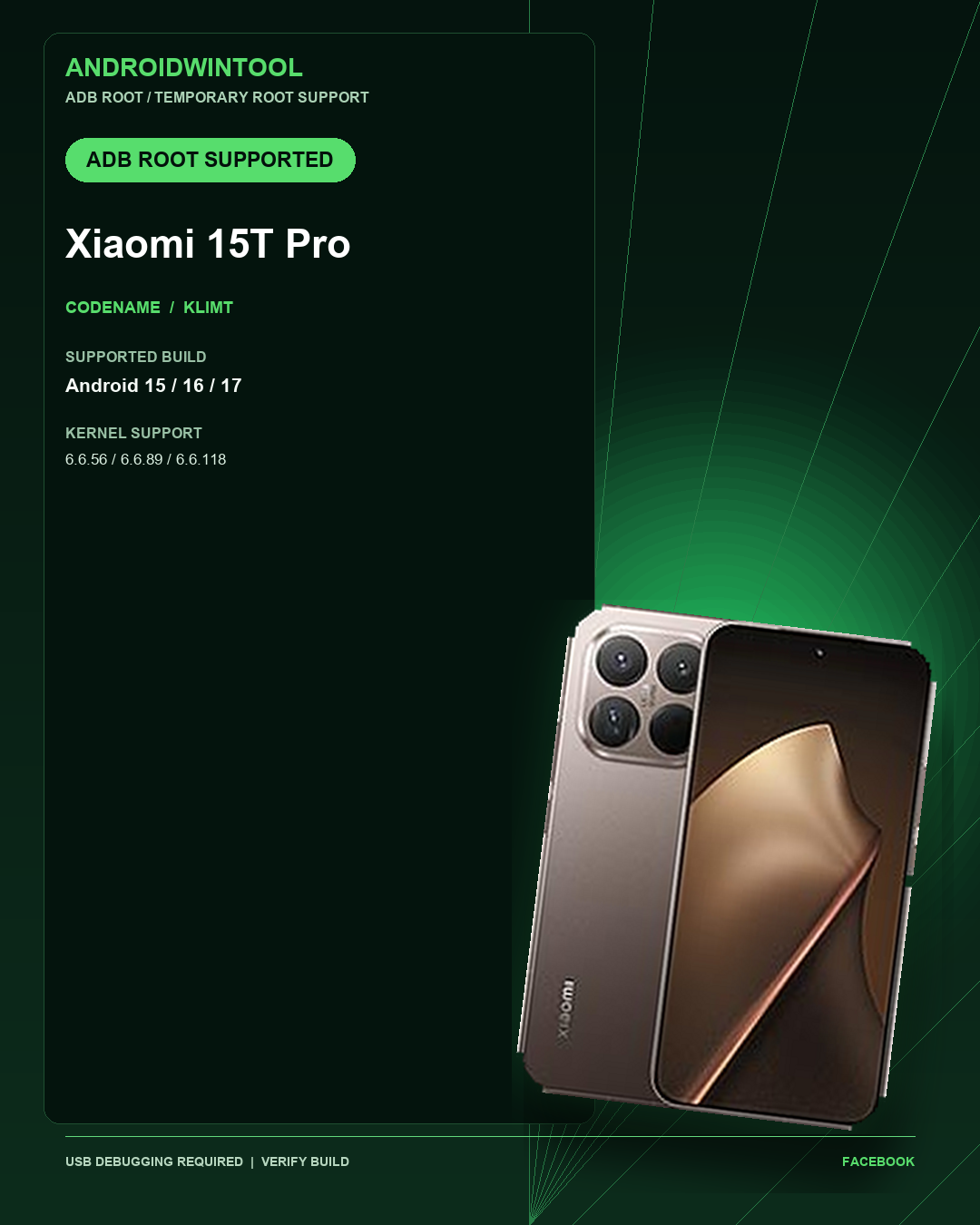
- Xiaomi 15T Pro — klimt
- Xiaomi 15T — goya
- Redmi Note 14 Pro / Poco X7 — malachite
- Redmi Note 13 Pro+ — zircon
- Redmi Turbo 4 / Poco X7 Pro — rodin
- Redmi 15C / Poco C85 — dew
- Redmi Note 14 — beryl
- Redmi Note 15 — spinel
And many more Xiaomi MTK devices.
Model support may change after new HyperOS updates. Always check compatibility before repair.
Known Compatibility Notes
Redmi 15C / Poco C85 — dew
Offline method may work only on selected firmware versions. On some devices, the result may be inconsistent even on compatible builds.
Recommended methods:
- Unlocked Bootloader method when bootloader unlock is possible
- CPID method when server-based repair is available
Some CPID cases may require extra preparation depending on firmware.
Redmi Note 13 Pro+ — zircon
Some HyperOS 3 builds may require compatible modem firmware for Offline method. If the device is already updated to a newer build, contact support before choosing the repair method.
Redmi Turbo 4 / Poco X7 Pro — rodin
Offline method is not recommended without support confirmation. Compatibility may depend on firmware and partition layout.
For this model, contact AndroidWinTool support before starting repair.
Redmi Note 14 — beryl
Offline method is currently not supported for this model.
Use another supported method if available, or contact support for the latest compatibility status.
Redmi 14C / Poco C75 / A3 Pro — lake
Latest HyperOS 3 builds may not be supported by the Offline method. Some service workflows may require compatible firmware preparation.
Contact support before repair.
Which Xiaomi IMEI Repair Method Should You Choose?
Choose Unlocked Bootloader method if:
- Bootloader unlock is possible
- You want a free method
- You do not want to use credits
- You need more firmware flexibility
- You want the safest option for complex cases
Choose CPID method if:
- Bootloader is locked
- The device is CPID-supported
- You need a stable professional method
- You want OTA/reset support on supported models
- You are working with a customer device and need a clean workflow
Choose Offline method if:
- The model is confirmed as supported
- Firmware version is compatible
- You want a free locked bootloader method
- You have confirmed support before repair
FAQ
Does AndroidWinTool support Xiaomi HyperOS 3 MTK IMEI repair?
Yes. AndroidWinTool supports Xiaomi HyperOS 3 MTK IMEI repair on many selected Xiaomi, Redmi and Poco models. Support depends on model, firmware, modem version and bootloader status.
Is every Xiaomi MTK device supported?
No. Xiaomi MTK support depends on model and firmware. Some devices support Unlocked Bootloader repair, some support CPID, and some support Offline method.
Which method is best for Xiaomi HyperOS 3 IMEI repair?
Unlocked Bootloader method is recommended whenever bootloader unlock is possible. For locked bootloader devices, CPID is usually the best professional method when supported.
Does CPID method require credits?
Yes. CPID is a server-based method and requires credits.
Does Offline method require credits?
No. Offline method does not require credits, but it works only on supported models and compatible firmware.
Is OTA or factory reset supported after repair?
It depends on the model and method. CPID supports OTA/reset on many devices. Offline and Unlocked Bootloader methods may depend on firmware and repair type. Always confirm before OTA update or factory reset.
What should I do if my model is not listed?
Contact AndroidWinTool support with your exact model, codename, HyperOS version and security patch. Compatibility may be added or updated after new tests.
Final Notes
Xiaomi HyperOS security changes frequently, especially on new MTK devices. AndroidWinTool continues testing new Xiaomi, Redmi and Poco models to improve IMEI repair support across Unlocked Bootloader, CPID and Offline methods.
Before repair, always confirm:
- Device model
- Codename
- HyperOS version
- Security patch
- Bootloader status
- Supported AndroidWinTool method
For the latest supported models, check the AndroidWinTool supported models page or contact official support.