AndroidWinTool Guides
09 Apr 2026
Redmi Note 14 Pro (obsidian) Read Critical Info in Preloader Mode
Step-by-step MediaTek preloader guide for reading critical info and saving a backup file on Redmi Note 14 Pro (obsidian).
Device Information
- Model: 24116RACCG
- Board: obsidian
- Hardware: MT6789 (Helio G99)
- Build ID: AP3A.240905.015.A2
- Security Patch: 2025-11-01
- Android Version: 15
Prerequisites
- AndroidWin Tool v2.0.0 or later.
- MediaTek VCOM Drivers installed.
Steps
Step 1: Preparation
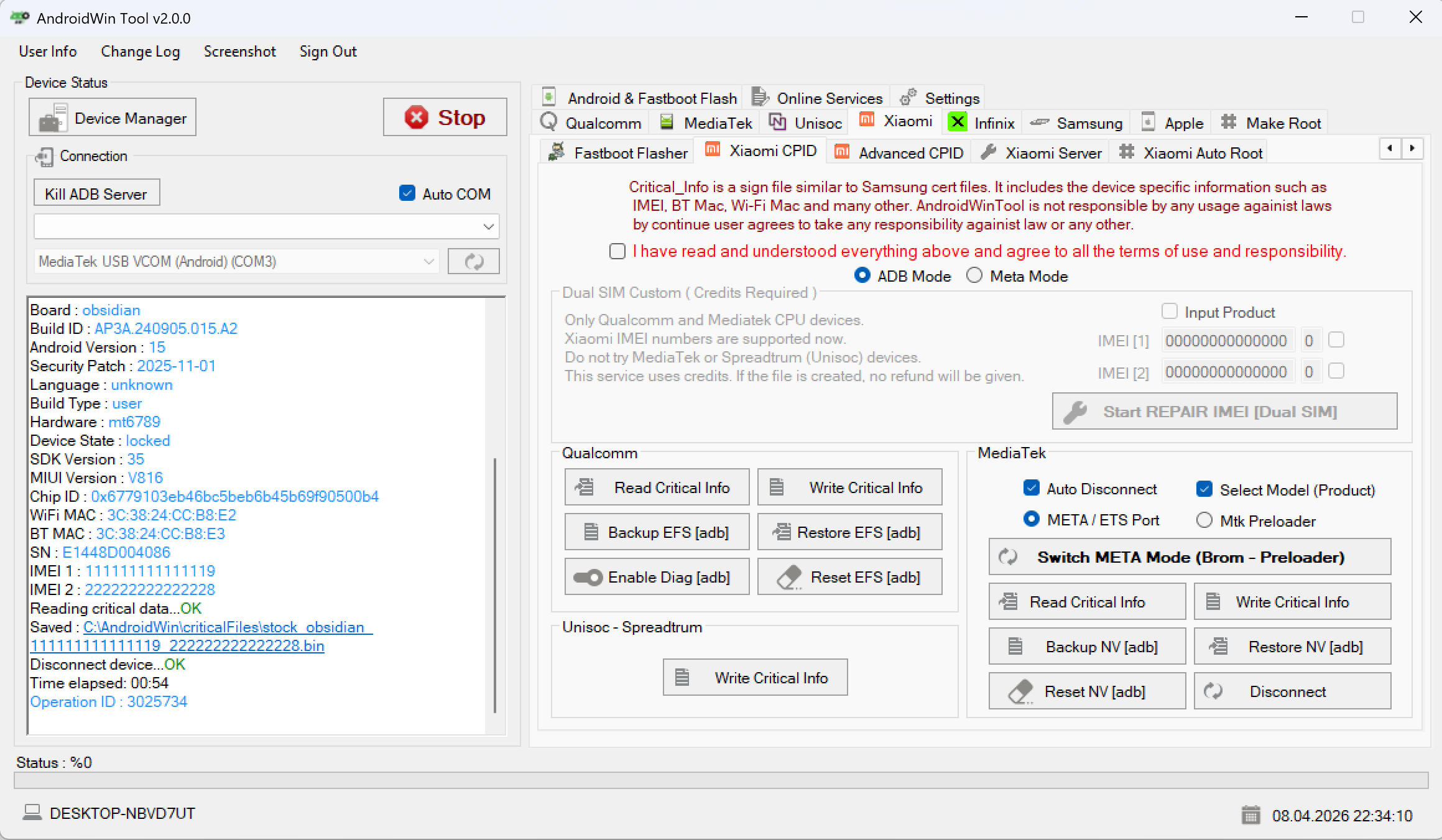
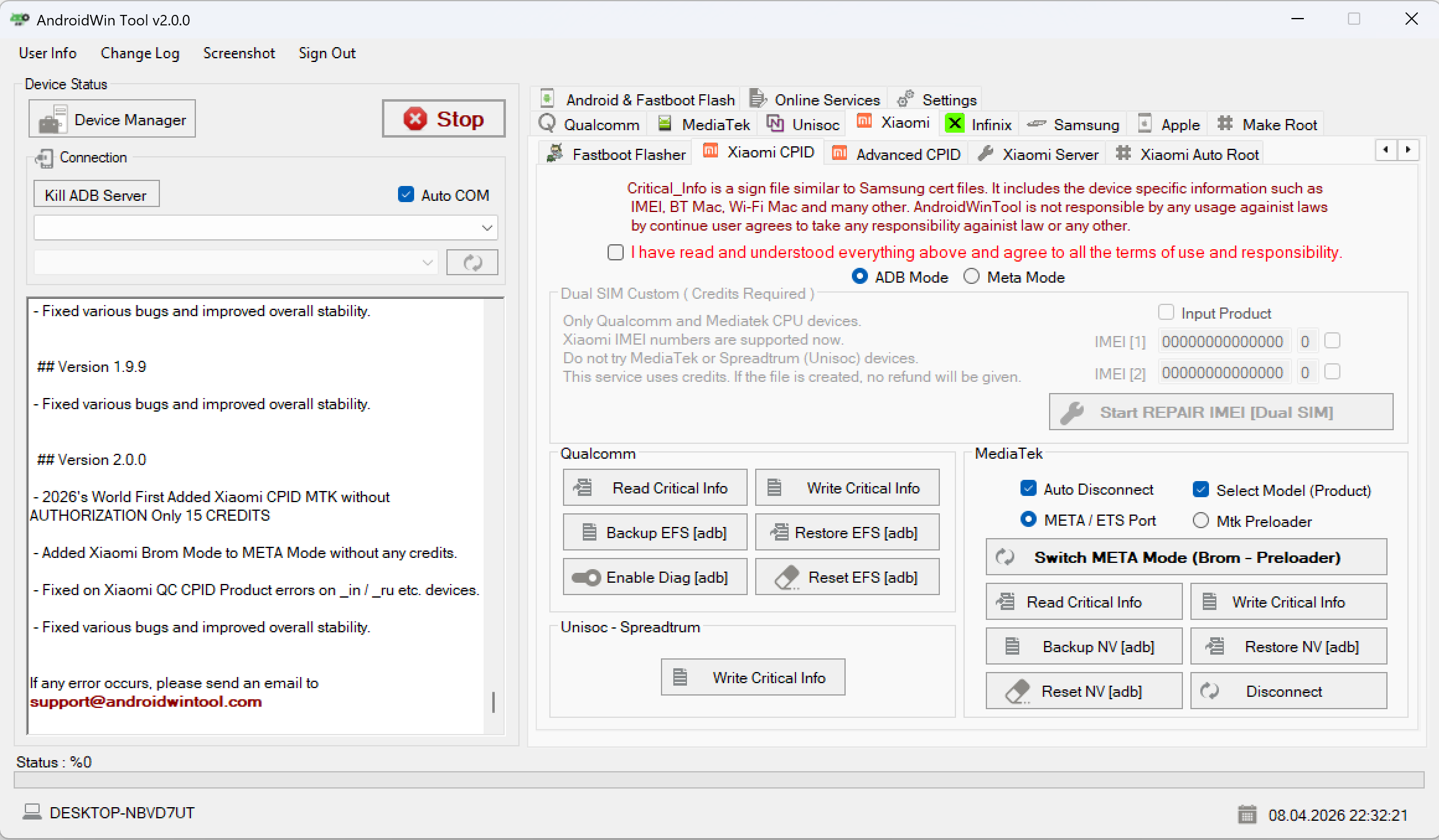
Open AndroidWin Tool and select the Xiaomi CPID tab. Ensure you are in the MediaTek section.
Step 2: Connection (BROM/Preloader)
Power off the device completely. Hold the Volume Down button and connect the USB cable. The tool log should display:
Found : MediaTek PreLoader USB VCOM (Android)
Switch Meta mode...OK
Step 3: Start Reading
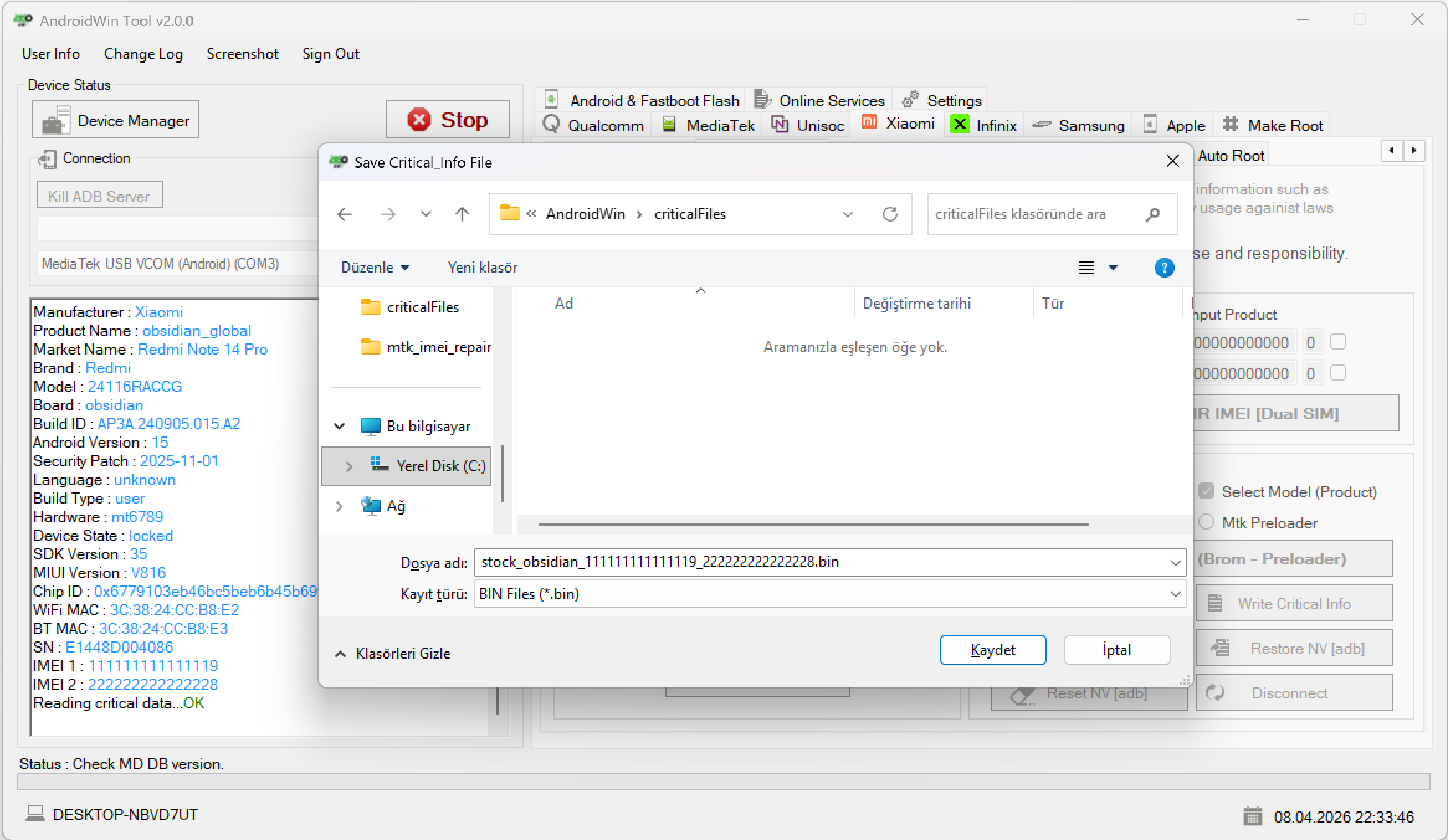
Click the Read Critical Info button. A Windows Save dialog will open. Choose your destination folder and click Save.
- Translate: Kaydet -> Save
- Translate: Iptal -> Cancel
Step 4: Completion
The tool will read the partition data:
Reading critical data...OKSaved : C:\AndroidWin\criticalFiles\stock_obsidian_....binOperation Success!
You can now safely disconnect your device.
Tip: Always keep a backup of your critical info before performing any IMEI or partition-related operations.