Redmi Note 14 Pro (obsidian) Write Critical Info in Preloader Mode
Step-by-step MediaTek preloader guide for writing a critical info backup file back to Redmi Note 14 Pro (obsidian).
Device Information
- Model: 24116RACCG
- Board: obsidian
- Hardware: MT6789 (Helio G99)
- Build ID: AP3A.240905.015.A2
- Security Patch: 2025-11-01
- Android Version: 15
Prerequisites
- AndroidWin Tool v2.0.0 or later.
- Critical Info (.bin) file for the specific device.
- MediaTek VCOM Drivers installed.
Steps
Step 1: Preparation
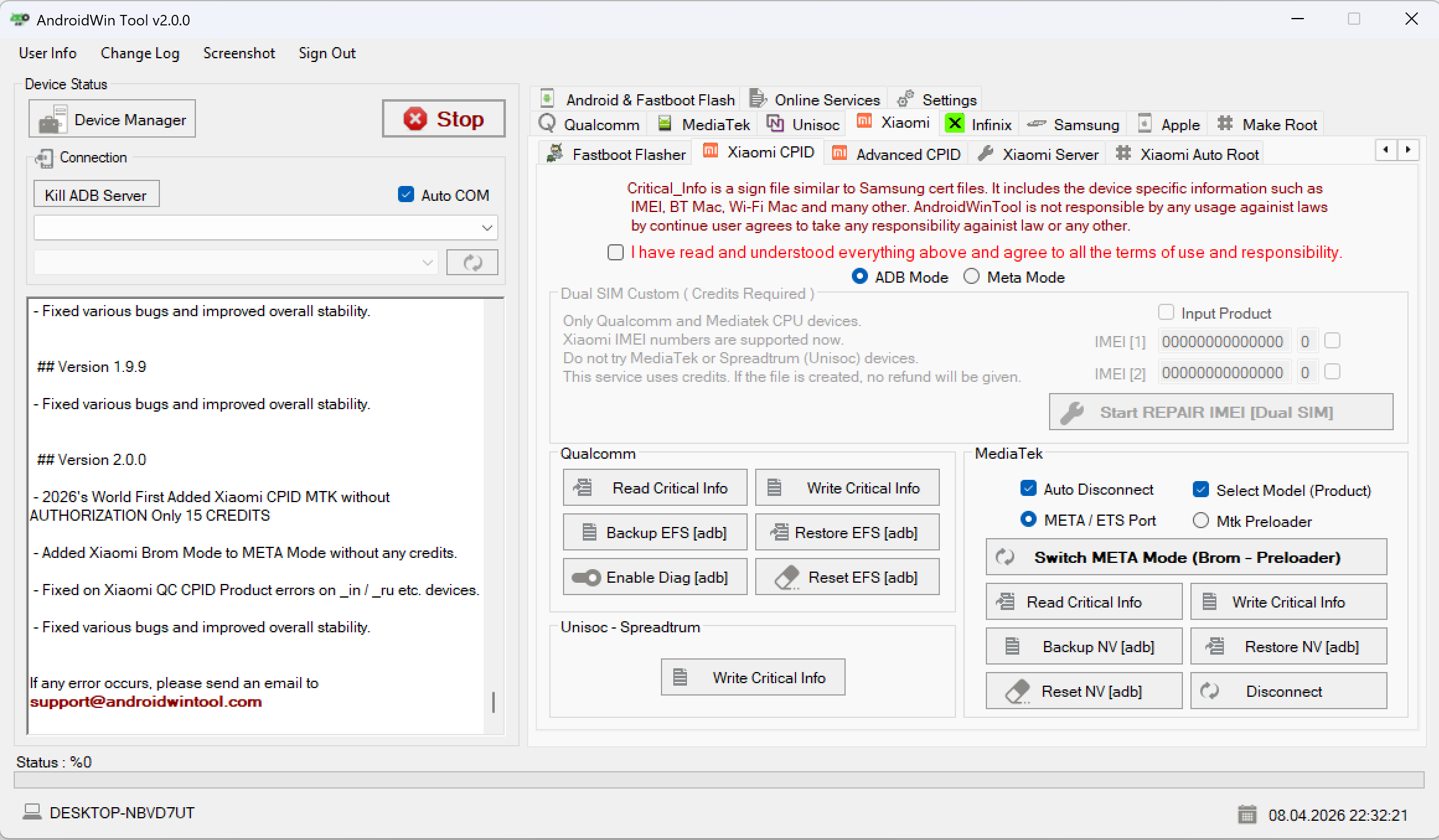
Open AndroidWin Tool and select the Xiaomi CPID tab. Under the MediaTek section, ensure the settings are correct for your device.
Step 2: Connection (BROM/Preloader)
Power off the device. Hold Volume Down and connect the USB cable to enter BROM/Preloader mode. The tool log should show:
Found : MediaTek PreLoader USB VCOM (Android)
Operation Success!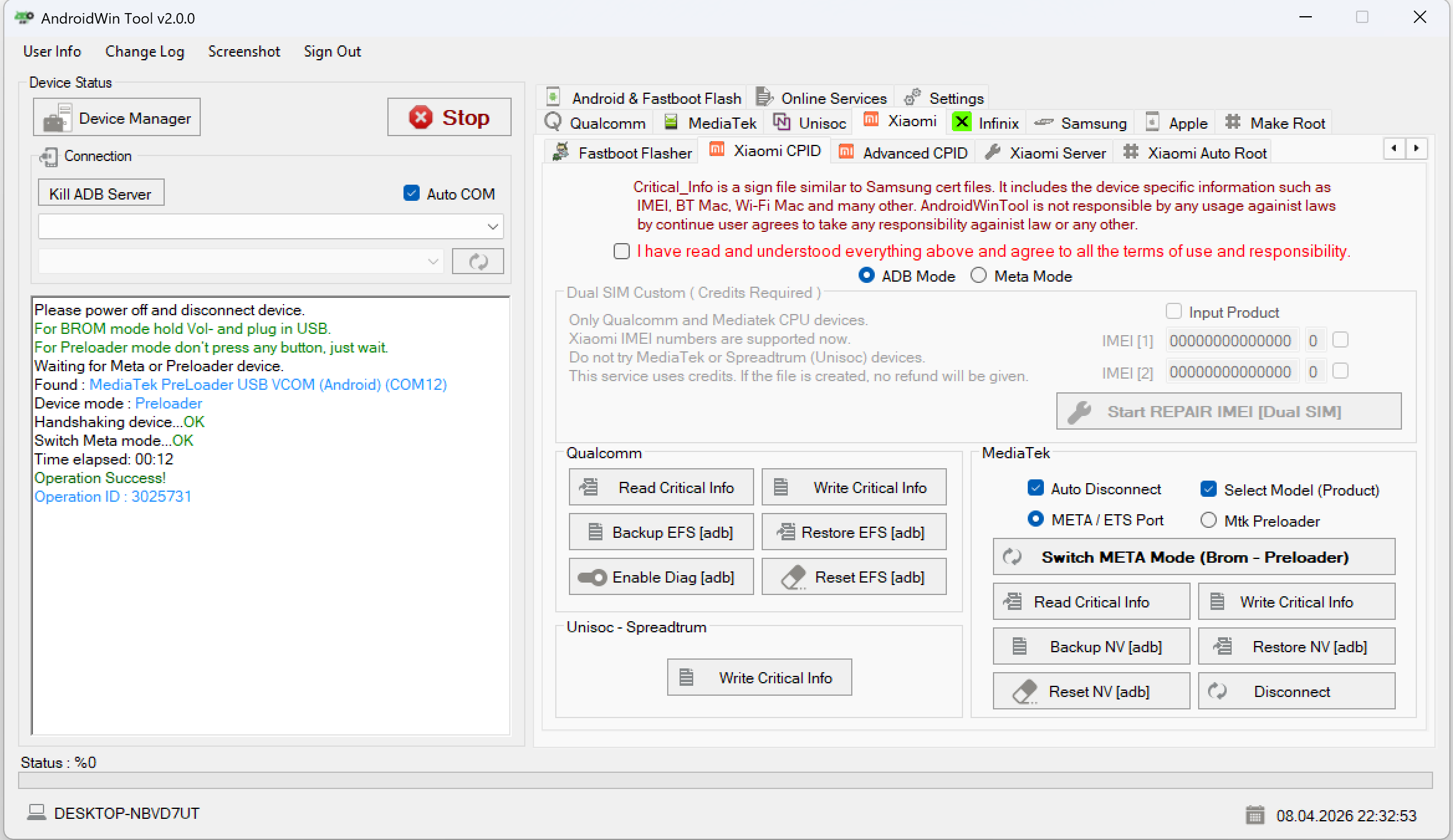
Step 3: Select Critical File
Click the Write Critical Info button. A file dialog will open. Select your stock_obsidian_...bin file and click Open.
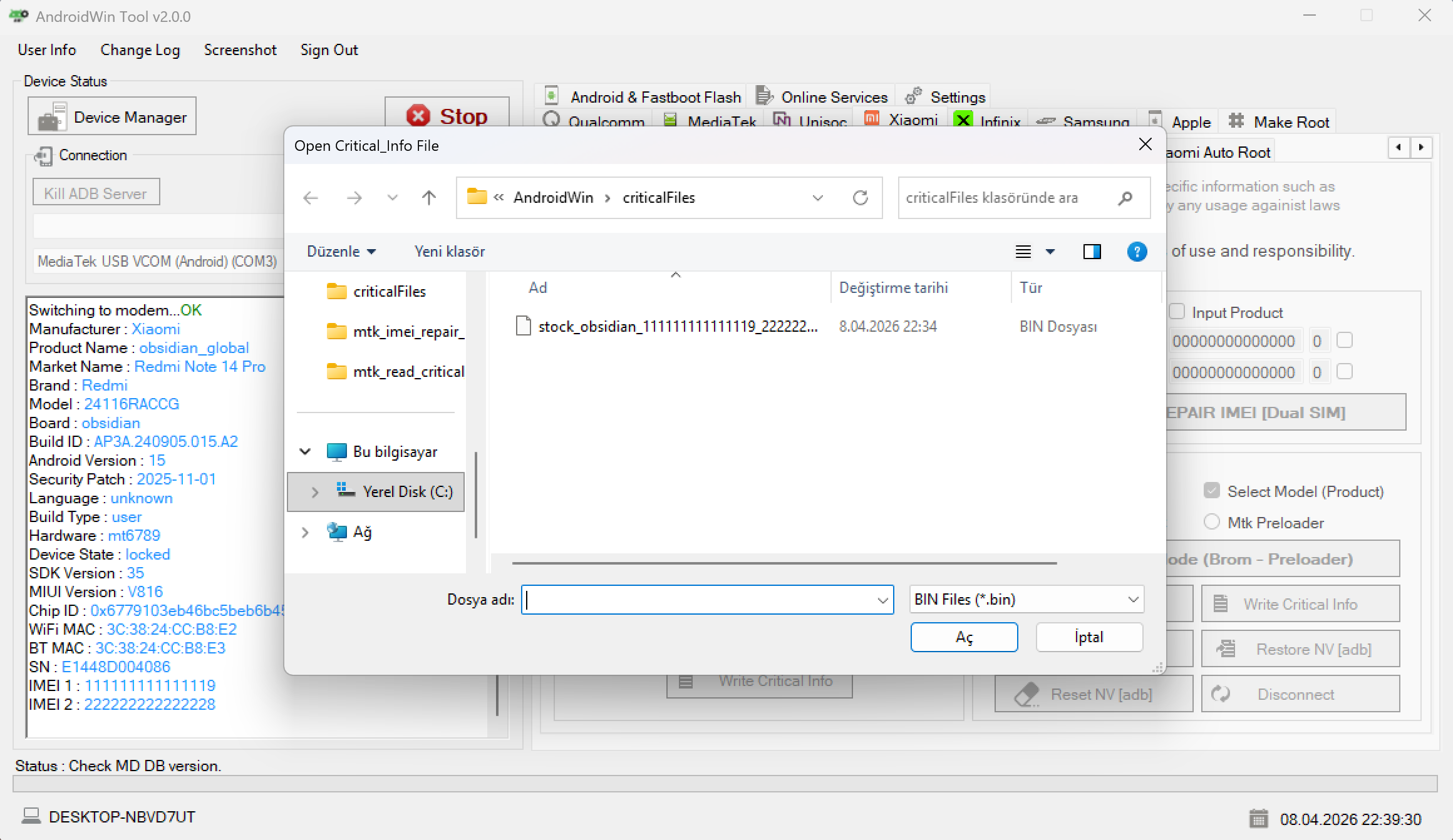
Step 4: Finalizing
The tool will begin writing the critical data.
Writing critical data...OKDisconnect device...OKOperation Success!
Once finished, the device will reboot.
Warning: Writing critical info is a sensitive operation. Ensure you have the correct file for your specific hardware ID and board to avoid bricking the device.